
Published: | By: Zio Technologies Engineering Team
Most home cinema guides in Dubai cover projectors, screens, acoustic panels, and seating. Lighting is mentioned as an afterthought — "dim the lights before watching" — and left at that.
Lighting is not an afterthought. It is one of the three elements that determine whether a cinema room performs at the level it was designed for. A correctly specified bias lighting setup measurably reduces eye strain over a three-hour viewing session. Incorrectly specified ambient lighting washes out black levels on a calibrated projector. Step and aisle lighting is a safety requirement that affects how the room is used by everyone in it, not just the homeowner.
This post covers cinema room lighting from the professional specification perspective — what each zone does, how it is specified, how it integrates with the automation system, and the mistakes that appear most consistently in Dubai installations. It does not cover the projector, screen, audio, or acoustic elements of a cinema room. For those, our home cinema installation guide and our cinema cost guide are the relevant references.
Why Cinema Room Lighting Matters More Than Most Homeowners Realise
The human eye adapts its sensitivity based on the overall luminance level of the scene it is viewing. When watching a film on a high-output projection system in a completely dark room, the eye adapts to the peak brightness of the projected image — and then works hard to process the extreme contrast between the bright screen and the surrounding pitch-black walls.
Over a 2–3 hour film, this sustained contrast processing produces eye fatigue. Many viewers describe this as a headache after a long viewing session in a dark room — and attribute it to the screen or projector. It is usually the lighting environment, not the display technology.
The solution — bias lighting — was formalised by SMPTE (the Society of Motion Picture and Television Engineers) and adopted as a reference standard for professional screening rooms. It is now specified as standard in professionally installed home cinemas worldwide, including every Zio Technologies cinema installation in Dubai.
Beyond eye comfort, cinema room lighting affects:
- Perceived contrast: A correctly lit bias light behind the screen creates a luminance bridge between the screen and the surrounding wall, improving perceived black level quality without changing projector calibration
- Safety: Step and aisle lighting allows occupants to move safely in a darkened room — essential when tiered seating is involved
- Usability: A room with correctly programmed scene transitions is effortless to use; one where lighting requires separate manual steps for every mode becomes a source of friction
- Aesthetics: The cinema room lighting design is a significant part of the visual character of the space — cove lighting, LED perimeter accents, and lit joinery are as much interior design choices as technical decisions
The Four Lighting Zones in a Professional Cinema Room
A professionally specified cinema room has four distinct lighting zones, each with a different purpose and specification. They are controlled independently — allowing different combinations to be active in different scenes.
Zone 1 — Bias Lighting (Behind the Screen)
Bias lighting is the most technically precise zone in the cinema room. It consists of a continuous LED strip mounted directly to the wall surface behind the projection screen, illuminating the wall around the perimeter of the screen image.
Position: The LED strip mounts on the wall surface, typically 50–100mm back from the screen edge, at the rear face of the screen frame. On a recessed masking screen, it mounts at the back edge of the recess. The light should be visible as a soft glow around the screen perimeter but not directly visible from the seating position.
Colour temperature: D65 — 6500K. This is non-negotiable in a professionally calibrated cinema room. The D65 standard matches the reference white point used for projector calibration (and for the source material that is colour-graded against D65 reference monitors at the studio). Using warm white (2700K) or neutral white (4000K) for bias lighting creates a colour conflict: the eye compares the screen's calibrated white to the surrounding wall's warm white, perceiving the image as colour-shifted. In practice, warm white bias lighting makes the projected image appear cooler and more blue than it actually is.
Brightness level: The SMPTE standard specifies bias lighting at approximately 10% of peak screen luminance — measured at the wall surface, not at the LED strip itself. In a home cinema with a properly calibrated 4K laser projector at 120 nits peak output (standard reference level), this corresponds to approximately 12 nits at the wall behind the screen. In practical terms: the bias light is visible as a clear glow in peripheral vision during viewing but does not compete with the screen for direct attention. Too bright — a common error — and the bias light becomes an active element that draws the eye. Too dim — below approximately 5 nits — and it provides negligible optical benefit.
LED strip specification:
- CRI (Colour Rendering Index): minimum 90, preferably 95+. Low-CRI strips produce a narrow-spectrum light that appears white but does not correctly represent adjacent colours, undermining the optical benefit of bias lighting.
- Colour consistency: specify LED strips with binned LEDs (SDCM 3 or better) — consistent colour temperature along the full strip length. Cheap strips drift colour temperature across the strip, visible as warm spots and cool spots on the wall.
- Dimming compatibility: the strip and its driver must dim smoothly from 100% down to approximately 5% without colour shift. Many consumer LED strips shift visibly warm when dimmed below 30% — rendering the colour temperature specification irrelevant at working levels.
- Heat management: LED strips in an enclosed cinema room must be correctly heat-sunk. In Dubai's ambient temperatures, inadequate heat management accelerates LED degradation and shortens strip lifespan significantly.
Active during: Cinema scene (playback) only. Off during all other scenes.
Zone 2 — Cove and Perimeter Ambient Lighting
Cove lighting — LED strips or linear fixtures recessed into ceiling coves, bulkheads, or wall reveals — provides the general fill light for the room during pre-show, intermission, and cleaning modes. It is the ambient environment of the cinema room when the projector is not running.
Position: Ceiling perimeter cove is the most common treatment — a recessed LED channel running around the ceiling perimeter, with light directed upward to wash the ceiling and produce indirect fill illumination. Wall coves, illuminated reveals in acoustic panel framing, and backlit niches all contribute to the ambient zone in high-end cinema room designs.
Colour temperature: 2700K–3000K warm white for the ambient zone. Unlike bias lighting, ambient fill light in a cinema room benefits from a warm, relaxed tone that creates a distinct atmosphere from the projection viewing mode. The contrast between warm ambient and D65 bias creates a clear sensory transition as the room moves from pre-show to playback mode.
Dimming range: 100% to 0.1%. The ambient zone must dim smoothly to fully off — not to a low glow — so that during playback the room is in complete darkness except for the bias light and step lighting.
Active during: Pre-show, Intermission, Cleaning/Housekeeping, General Use scenes. Off during playback.
Zone 3 — Step and Aisle Lighting
Step lighting is a safety requirement in any tiered-seating cinema room and a best practice in single-level rooms where occupants move during viewing. It consists of low-level LED fixtures recessed into the risers of tiered seating steps, the skirting of side walls, or dedicated aisle lighting positions.
Position: On tiered seating, step nosing lights are recessed into the front face of each riser — visible only when looking at the steps, not from the seating position during viewing. In flat-floor cinema rooms, skirting-level LED light lines along the side walls serve the same orientation function without riser installation.
Colour temperature and output: 2700K–3000K warm white, at very low output — sufficient to see the steps clearly but not bright enough to distract from viewing. Typically 5–15 lux at floor level. Step lighting must not be visible from the seating position during active playback — it should only be perceptible when the viewer is moving.
Control: Step lighting operates independently of the main lighting scenes. It is on whenever the room is occupied (on a motion-triggered basis), dims during active playback to minimum visible level, and brightens during intermission or when motion is detected in the room during playback — indicating someone is moving to or from their seat.
Active during: All scenes at varying levels. Motion-triggered during playback.
Zone 4 — Accent and Feature Lighting
Accent lighting covers the aesthetic lighting elements that define the visual character of the cinema room when the ambient lights are on — backlit acoustic panels, illuminated joinery reveals, display niches, and decorative perimeter light elements.
In Dubai cinema rooms, common accent lighting treatments include:
- Backlit acoustic fabric panels with LED edge-lighting in the panel frames — creating luminous panels that serve both acoustic and aesthetic functions
- Illuminated reveals in wall panelling or joinery — thin LED channels highlighting the three-dimensional depth of wall treatments
- Starfield ceiling panels or fibre-optic ceiling starfields — a popular request in Dubai high-end cinema installations, creating a night-sky effect that transitions as the room moves from ambient to playback mode
- Backlit bar or refreshment niche lighting — for cinema rooms with integrated refreshment areas
Accent lighting is the zone with the most design latitude — and the most variation between projects. It is specified in collaboration with the interior designer during the room design phase, before any lighting infrastructure is installed.
Active during: Pre-show and Intermission scenes, often at reduced level. Off or near-off during playback.
Smart Scene Programming: The Five Cinema Room Scenes
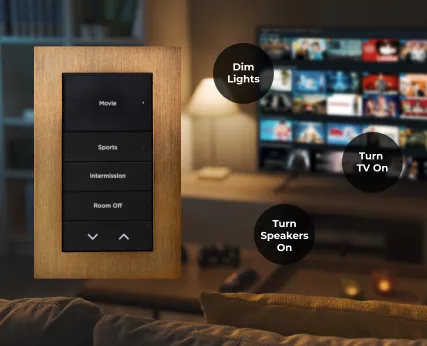
Lighting without scene programming is a collection of dimmers. Scene programming is what makes the cinema room behave as a coherent, single-button experience. A professionally programmed cinema room has five distinct scenes, each combining lighting zones with AV system states.
Scene 1 — Pre-Show
The room is occupied and prepared for viewing but playback has not started. Ambient cove lighting at 40–60%, accent lighting on, step lighting on, bias lighting off, projector warming up (projector requires a 60–90 second warm-up period before picture is displayed).
Pre-Show activates automatically when the Cinema keypad button or app scene is selected — projector and screen extend simultaneously, AV system powers on, and the room transitions visually from its General Use state.
Scene 2 — Cinema (Playback)
The primary viewing scene. Ambient cove lighting off, accent lighting off, step lighting at minimum level (5–10% — just sufficient for safety), bias lighting on at calibrated level (typically 8–15% of maximum output, programmed to the SMPTE standard for the specific projector output), blackout blinds closed, HVAC switched to cinema mode (reduced fan speed to minimise audible noise from the HVAC system — a common oversight in cinema room installations).
Cinema scene triggers automatically when playback begins on the media player, or manually from a keypad or app. AV integration ensures the transition is coordinated — the lighting change does not happen before the screen has descended and the projector has achieved full output.
Scene 3 — Intermission
Playback paused. Ambient cove lighting rises to 30–40% over a 10-second transition (gradual rise protects dark-adapted eyes from sudden brightness contrast), step lighting brightens, accent lighting comes on at low level, bias lighting off. HVAC returns to normal fan speed.
Intermission can trigger automatically when playback is paused on the media player — using the two-way driver integration between Control4 and the media server. No manual lighting adjustment required.
Scene 4 — Post-Show
Playback ended. Full ambient lighting, all zones on, screen retracts, projector shutter closes and cooling cycle begins, HVAC returns to standard setpoint, blinds remain closed (room may still be occupied). Transitions to General Use after a set time delay if no further input is received.
Scene 5 — Housekeeping
Maximum output on all lighting zones — full ceiling light, accent lighting, step lighting, ensuring all surfaces are clearly visible for cleaning. This scene is important in Dubai villa cinema rooms where housekeeping staff clean the room without detailed familiarity with the control system — a single "Cleaning" button on the keypad or wall panel gives them full light without needing to understand scene programming.
Integration with the AV System
The scene transitions above depend on two-way communication between the lighting control system and the AV system. This is the critical difference between a professional installation and a DIY approach. In a professionally programmed Control4 system, the automation platform knows the state of every AV device — whether the projector is warming up, at full output, in standby, or in its cooling cycle — and times lighting transitions accordingly.
A simple one-way Alexa routine ("dim the lights and turn on the projector") cannot do this — it sends commands in sequence without awareness of device states. The projector warm-up period is ignored, the screen may not be fully descended, and the lighting transition is not timed to the actual display state.
For detail on how professional automation platforms integrate with AV systems at this level, our home automation systems guide explains the Control4 and KNX integration architecture.
Lighting Control Systems for Cinema Rooms: Which Platform to Specify
Cinema room lighting control requires smooth, flicker-free dimming across the full range — from 100% down to 0.1% without visible steps or colour shift. Not all dimming systems achieve this, and the consequence in a dark cinema room is immediately obvious: a dim level that flickers, steps, or shifts colour during a scene transition ruins the effect and the viewing experience.
Lutron — The Reference Standard for Dimming Quality
Lutron's EcoSystem and RadioRA 3 platforms are the global reference standard for smooth dimming in cinema and screening applications. Lutron's proprietary dimming technology — developed over 60 years — produces the cleanest, most consistent dimming curve of any commercially available platform. The bias light fade from playback level to 0 is imperceptible as a step change; it flows as a continuous transition.
For a cinema room that is standalone (not part of a wider home automation system), Lutron RadioRA 3 or a Lutron EcoSystem integration via Control4 is the professional recommendation. The dimmer cost is higher than alternatives, but the performance difference is audible in silence and visible in transition quality.
Control4 with Lutron Integration
The most common professional configuration in Dubai cinema installations: Control4 as the AV and automation brain, with Lutron EcoSystem handling the lighting dimming layer. Control4 sends scene commands to the Lutron processor, which executes smooth transitions on all circuits. The homeowner interacts only with Control4 (keypad, touchpanel, app, voice) — the Lutron layer is invisible beneath it.
KNX Lighting Control
For cinema rooms in larger villa projects where KNX is the whole-home lighting platform, KNX actuators from manufacturers such as ABB, Schneider Electric, and Gira provide high-quality dimming suitable for cinema use. KNX dimming performance approaches Lutron at the top end of the product range. The integration between KNX and a Control4 or Crestron AV controller is well-established in professional UAE installations.
What to Avoid
Consumer-grade smart dimmers — Philips Hue, LIFX, TP-Link Kasa, and similar — are not suitable for cinema room bias lighting specification. Their dimming curves are inconsistent at low levels, colour temperature shift on dimming is pronounced, and their cloud-dependent control architecture introduces latency that is incompatible with tight AV scene integration. In a living room, these limitations are tolerable. In a darkened cinema room where a bias light fade takes 3 seconds and must be perfectly smooth, they are not.
Dubai-Specific Considerations for Cinema Room Lighting
Blackout First — Lighting Second
Dubai's ambient light levels are extreme compared to northern European and North American environments where most cinema room design guidance originates. At 2pm in July, outdoor illuminance in Dubai reaches 100,000+ lux. A cinema room with inadequate blackout on its windows or skylights will have its entire calibrated lighting environment overwhelmed by ambient daylight leaking through gaps in blinds or curtains.
The blackout specification must be resolved before lighting is specified. If the room has any glazing — even a small window or a skylight — motorised blackout blinds with full side-track sealing are a prerequisite. A cinema room that cannot achieve full blackout in daylight hours cannot perform to its specification regardless of the quality of its lighting design.
Motorised blackout blinds are integrated into the Cinema scene — they close automatically as part of the scene sequence, before the projector output reaches full brightness. For more on smart blind integration as part of a home automation system, see our smart home solutions guide.
LED Strip Heat Management in Dubai Ambient Temperatures
LED strips generate heat at the driver and at the LED itself. In a Dubai villa where the ambient temperature in unoccupied spaces regularly reaches 30–35°C without air conditioning, heat management for enclosed LED strip installations is critical. Bias lighting strips mounted in a sealed recess behind a fixed screen frame, without adequate heat dissipation, will degrade significantly faster than the same strips in a climate-controlled environment.
Specification requirements for Dubai cinema installations:
- Aluminium extrusion channels for all LED strip runs — dissipates heat away from the LEDs and doubles as a mounting profile
- Externally mounted drivers where possible — keeping the heat-generating driver outside the sealed recess and accessible for servicing
- Specifying strips rated for 50°C+ ambient operation rather than the standard 25°C baseline rating
- Ensuring the cinema room HVAC is operational before extended LED operation — the room should not be used without air conditioning active
HVAC Noise and Lighting Scene Coordination
In Dubai cinema rooms, the HVAC system must be running during viewing — the room gets warm quickly with occupants and equipment generating heat in an insulated space. The fan coil unit or split unit fan speed is a significant source of background noise that competes with the audio system at low playback levels.
The Cinema scene in a properly programmed system sets the HVAC to its lowest fan speed (or activates a pre-chilled room strategy where the room is pre-cooled before viewing begins, then the HVAC is paused for the duration of viewing). This is a lighting guide, not an HVAC guide — but the point is that the Cinema scene programming must include HVAC state management alongside lighting. They are inseparable in a Dubai context.
The Six Most Common Cinema Room Lighting Mistakes in Dubai
1. Warm White Bias Lighting
The most technically consequential mistake. Specifying 2700K or 3000K LED strips for bias lighting behind a D65-calibrated projector creates a persistent colour conflict that makes every film appear cooler and more blue than it should. The fix is specifying D65 (6500K) LED strips with a CRI of 90+ from the outset. Replacing bias lighting after installation is straightforward but should not be necessary.
2. Bias Light Too Bright
Homeowners who add bias lighting themselves often run it at 50–100% output because it "looks impressive." At this level, the bias light competes with the screen for the viewer's attention, draws the eye away from the image, and degrades perceived black levels at the screen edges. The SMPTE-specified 10% of peak screen luminance is not a conservative guess — it is the result of perceptual research. Programme bias lighting to this level and resist the temptation to increase it.
3. No Step Lighting on Tiered Seating
In a darkened cinema room with tiered seating, an unlighted step is a safety hazard. This is not a theoretical risk — it is a consistent source of incidents in home cinema rooms that omit step lighting as a cost reduction. Step lighting is a small fraction of the total room cost and protects both the homeowner and their guests. It is non-negotiable in any tiered-seating installation.
4. Ambient Lighting That Does Not Reach Zero
Some dimmer systems have a minimum output level — they dim to 5–10% but do not reach fully off. In a living room, this is irrelevant. In a cinema room during playback, a cove that never fully extinguishes creates a visible ambient glow that reduces perceived contrast on the projection screen. Specify dimmers explicitly for their 0.1% minimum output capability and verify it during commissioning before the room is handed over.
5. Lighting Scenes Programmed Without AV Integration
A Cinema lighting scene that operates independently from the AV system — dimming the lights on a separate keypad press, then separately activating the projector — is a user experience failure. It requires multiple steps for something that should be one. More significantly, the timing of the lighting transition relative to the projector warm-up cycle is left to chance. Proper integration means a single Cinema button triggers the full sequence in the correct order with the correct timing. This requires two-way driver integration between the lighting control platform and the AV system — standard on Control4 and KNX platforms but absent on consumer smart home systems.
6. No Separate HVAC Programme for the Cinema Scene
As noted above — in Dubai specifically. A cinema room where the HVAC fan runs at full speed during quiet film passages is not a cinema room. The Cinema scene must include HVAC state management. If the room cannot be pre-cooled and the HVAC paused, the fan speed must be reduced to minimum as part of the scene. This is a programming detail that distinguishes a professionally commissioned installation from a system where someone connected the devices but did not think through the experience.
Cinema Room Lighting by Zio Technologies
Zio Technologies designs and installs home cinema rooms across Dubai — from entry-level dedicated media rooms to reference-grade tiered screening rooms. Our cinema installations include full lighting specification as an integrated element of the room design, not a separate consideration added at the end.
Every cinema room we deliver includes: bias lighting specified to SMPTE standards, four-zone lighting design coordinated with the interior, smart scene programming integrated with the AV system, and commissioning that includes bias light level calibration against the projector's measured output.
Book a cinema room consultation with our engineering team →
For the full scope of what a professional cinema installation involves, see our home cinema installation guide. For project budgeting, our cinema cost guide covers the full pricing range. For how cinema room lighting integrates into a wider villa automation system, our villa automation guide covers the full picture.
Frequently Asked Questions — Home Cinema Lighting in Dubai
What colour temperature should bias lighting be in a home cinema room?
Bias lighting should be D65 — approximately 6500K — matching the reference white point of the projector and the colour-grading standard for the source material. Warm white (2700K–3000K) creates a colour conflict with the calibrated image and should not be used for bias lighting, regardless of how it looks aesthetically. Specify LED strips with CRI 90+ and confirm they hold 6500K consistently across the dimming range.
How bright should bias lighting be behind a projection screen?
The SMPTE standard is approximately 10% of peak screen luminance measured at the wall surface. In practical terms, this means the bias light is visible as a soft glow in peripheral vision during viewing but does not draw the eye away from the screen. Too bright reduces perceived black level at the screen edges. Too dim provides no optical benefit. A professional cinema calibration will set this precisely for your projector's specific output.
Can smart home automation control cinema room lighting automatically?
Yes — this is standard in a professionally installed cinema room. The automation platform links lighting scenes to the AV system: pressing "Cinema" simultaneously dims all ambient lighting, activates the bias light at the programmed level, lowers the screen, powers on the projector, and closes blackout blinds — in the correct order, with the correct timing. The lighting is one element of a fully coordinated scene.
What is the difference between bias lighting and ambient lighting in a cinema room?
Bias lighting is the specific light source placed directly behind the projection screen to reduce contrast between the bright screen and the surrounding dark wall. It is on during playback only. Ambient lighting is the general fill light in the room — cove lighting, perimeter LEDs — used during pre-show, intermission, and general use. During active playback, ambient lighting is fully off and only bias lighting and step lighting remain active.
What lighting control system is best for a home cinema room in Dubai?
Lutron (RadioRA 3 or EcoSystem) is the reference standard for cinema room dimming quality — the smoothest, most consistent dimming performance available. For cinema rooms integrated into a wider home automation project, Control4 with Lutron EcoSystem integration is the professional standard in Dubai. KNX with high-end ABB or Schneider dimmers is an equally capable alternative in whole-home KNX installations. Consumer smart dimmers are not suitable for bias lighting specification.
